
Your team's headquarters.
Roster stats, weekly priorities, goals, scout, matches and schedule. Everything the captain does by hand, in one place.
No credit card. Your data stays readable after the trial.
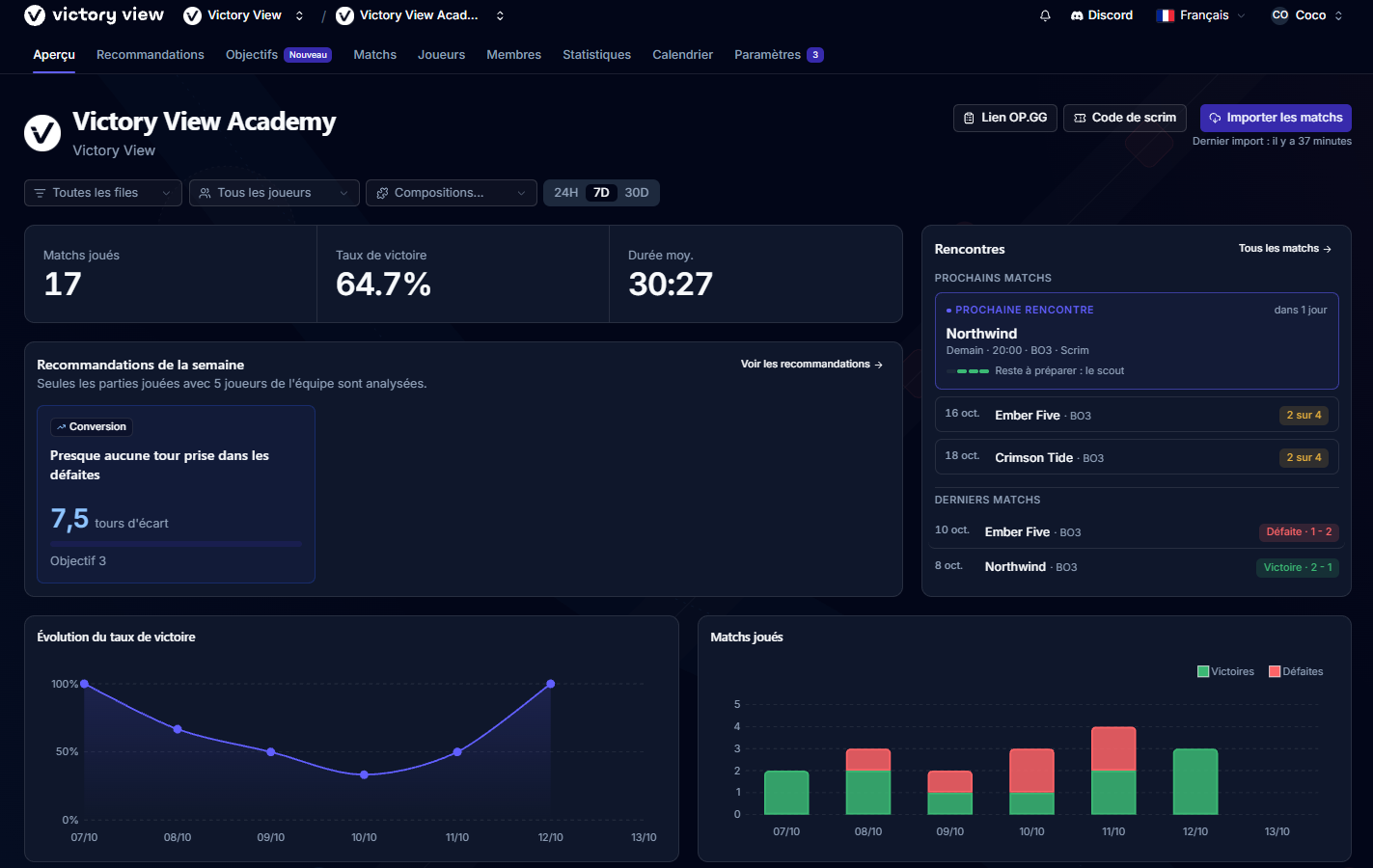
1 Analyze
Know what's holding you back.
Three things to work on, every Monday
Every Monday, the App checks your team's games against 29 indicators and keeps the 3 where you can progress the most: early game, objectives, converting a lead, vision. Each one shows your current number, a target and something concrete to work on.
Week after week, you see whether each point improved, held or slipped. At least 3 games in the week are needed.
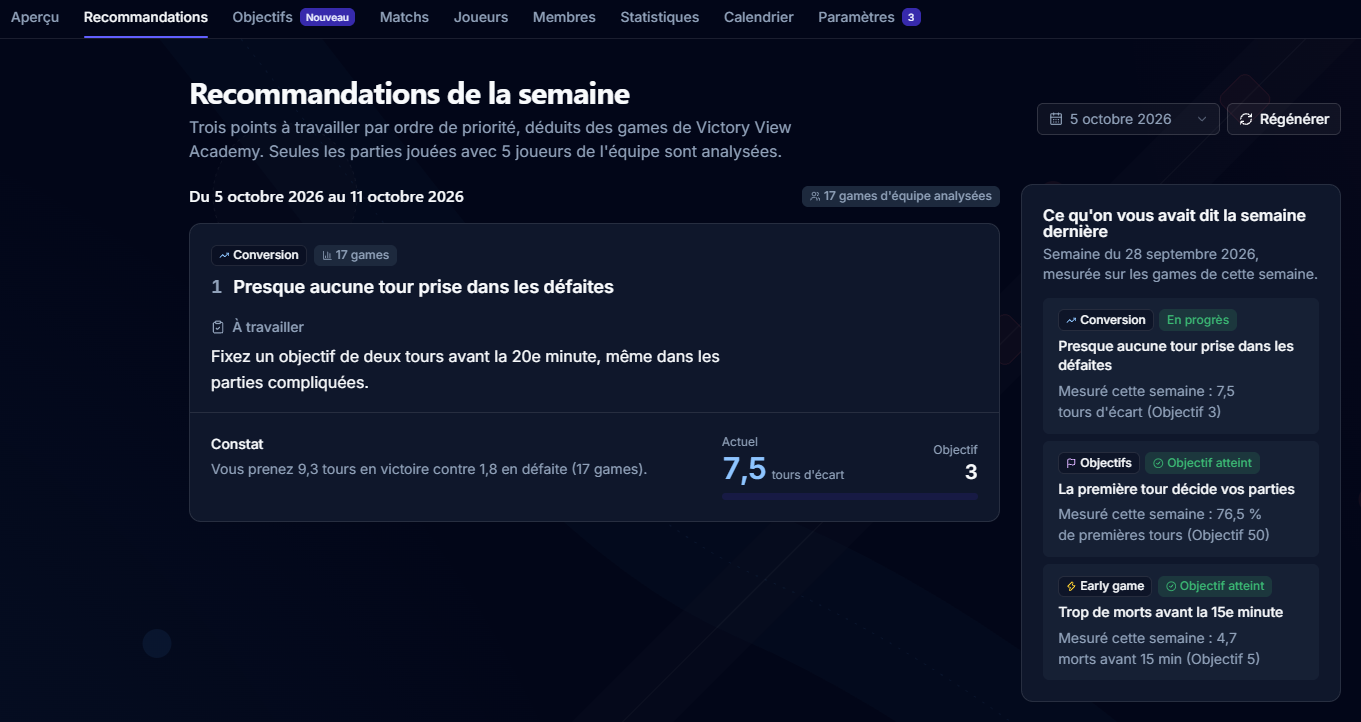
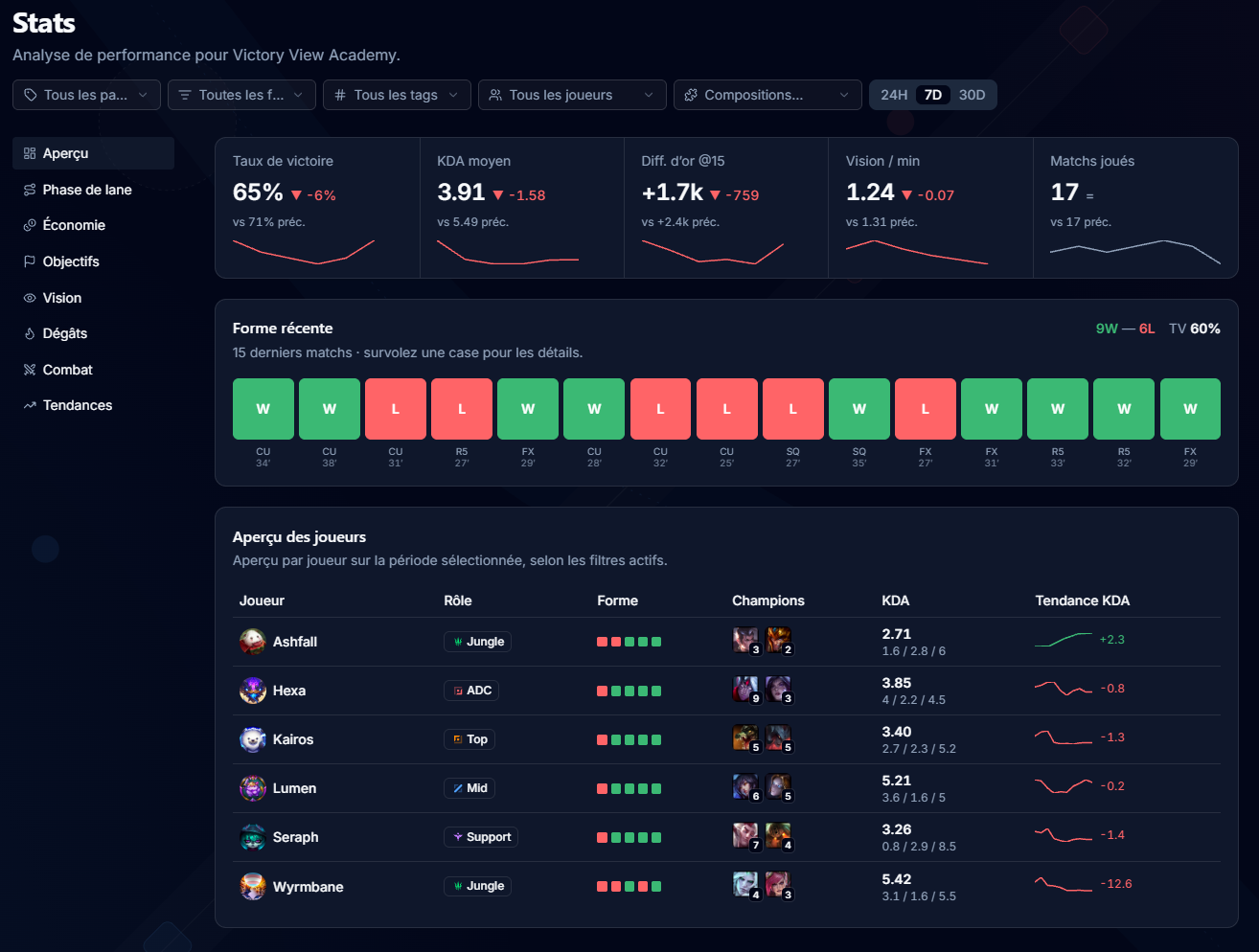
Your five players on one screen
Overview, laning with diffs at 15 by role, economy, objectives, vision, damage. Filter by queue, period, patch, game length or composition, and open any player to see their form.
2 Progress
Set a course. Watch it move.
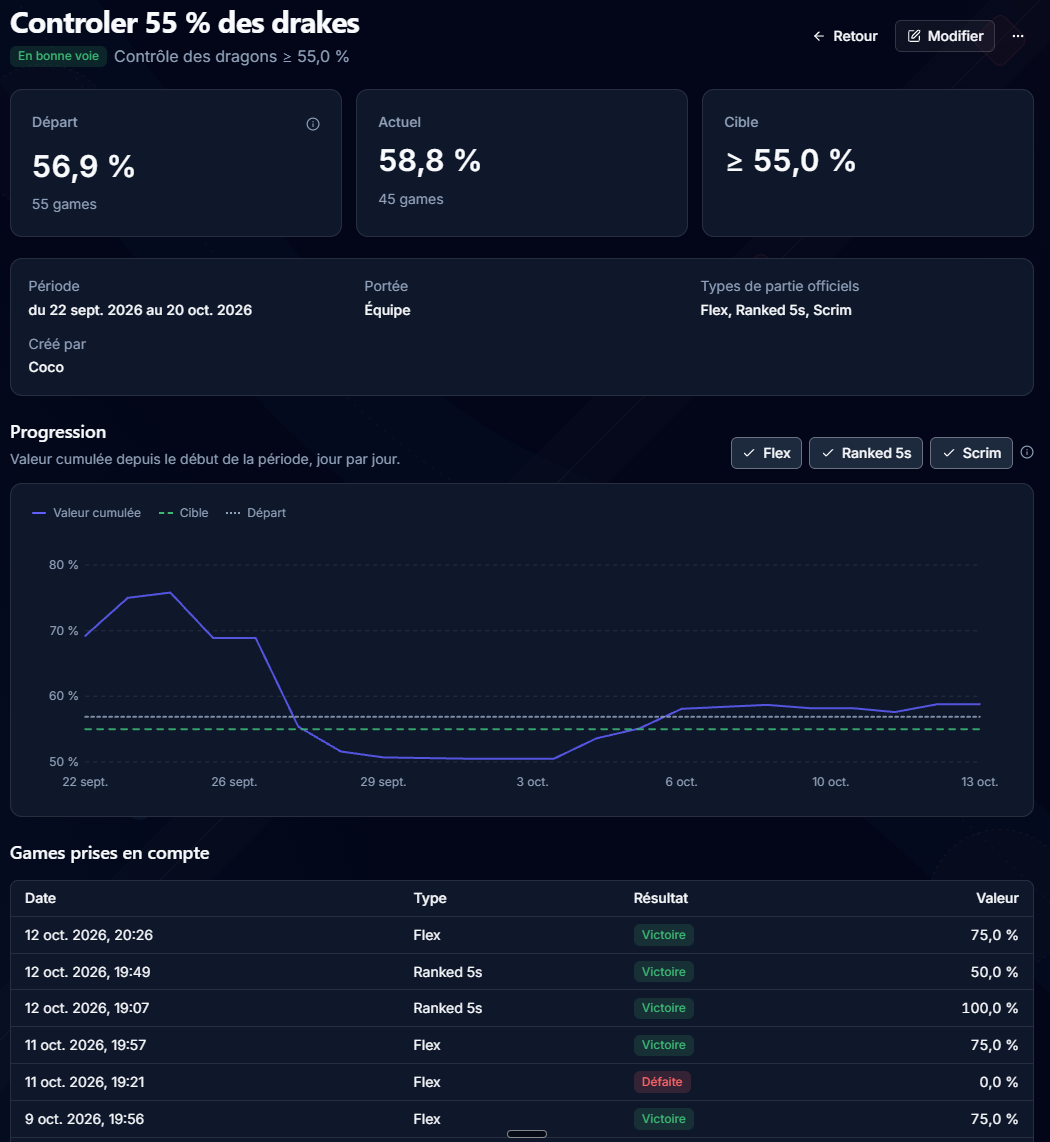
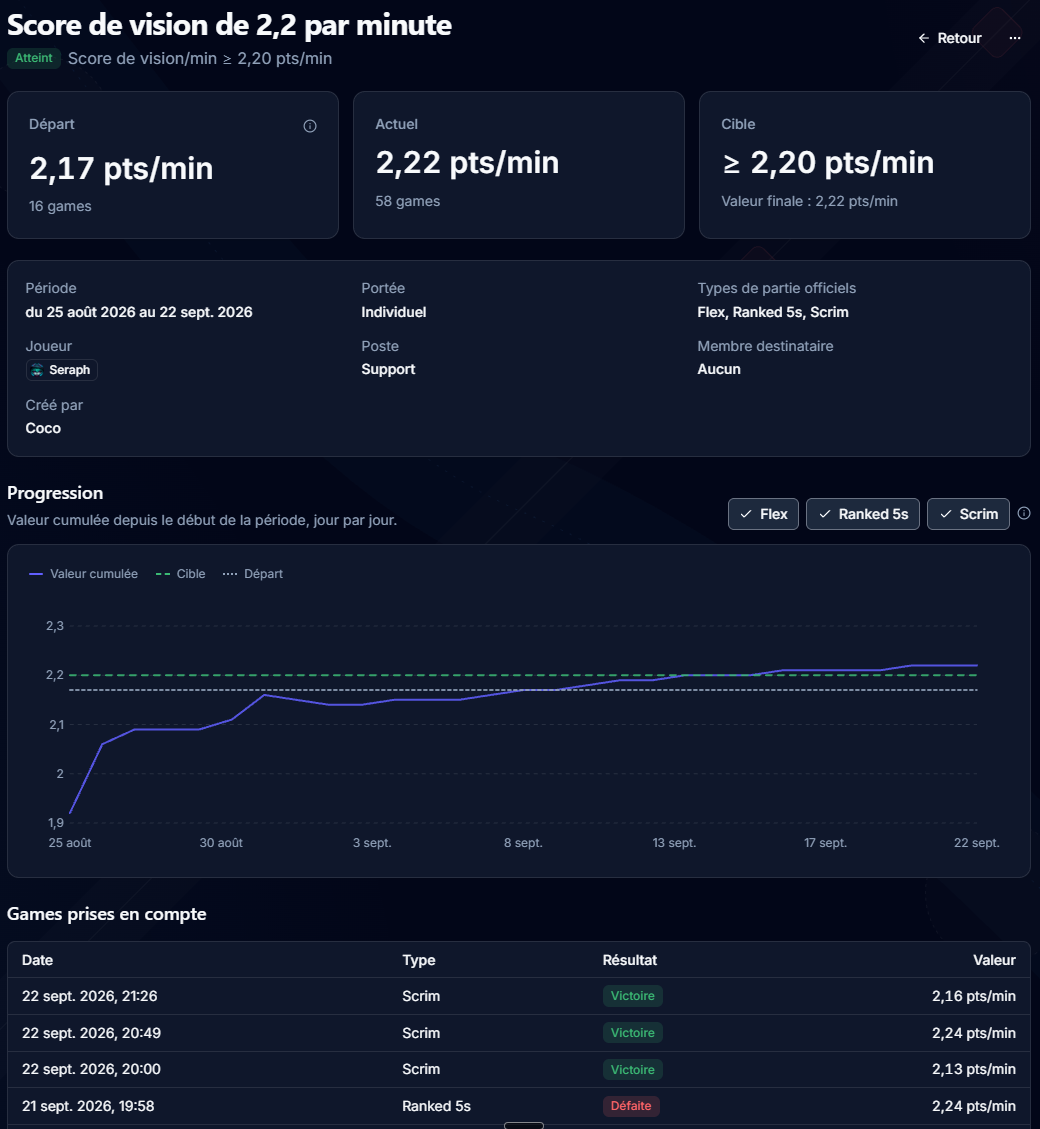
A goal for the team or for one player, on the metric that matters: gold lead at 15, deaths before 15, vision per minute and many more. Pick a target and a period of up to 90 days.
-
Updated after every import
On track, behind, reached: the status moves on its own, no spreadsheet.
-
Discussed as a team
Comments on each goal, a notification when it closes, and the history of every target change.
3 Prepare
Walk into the draft with a plan.
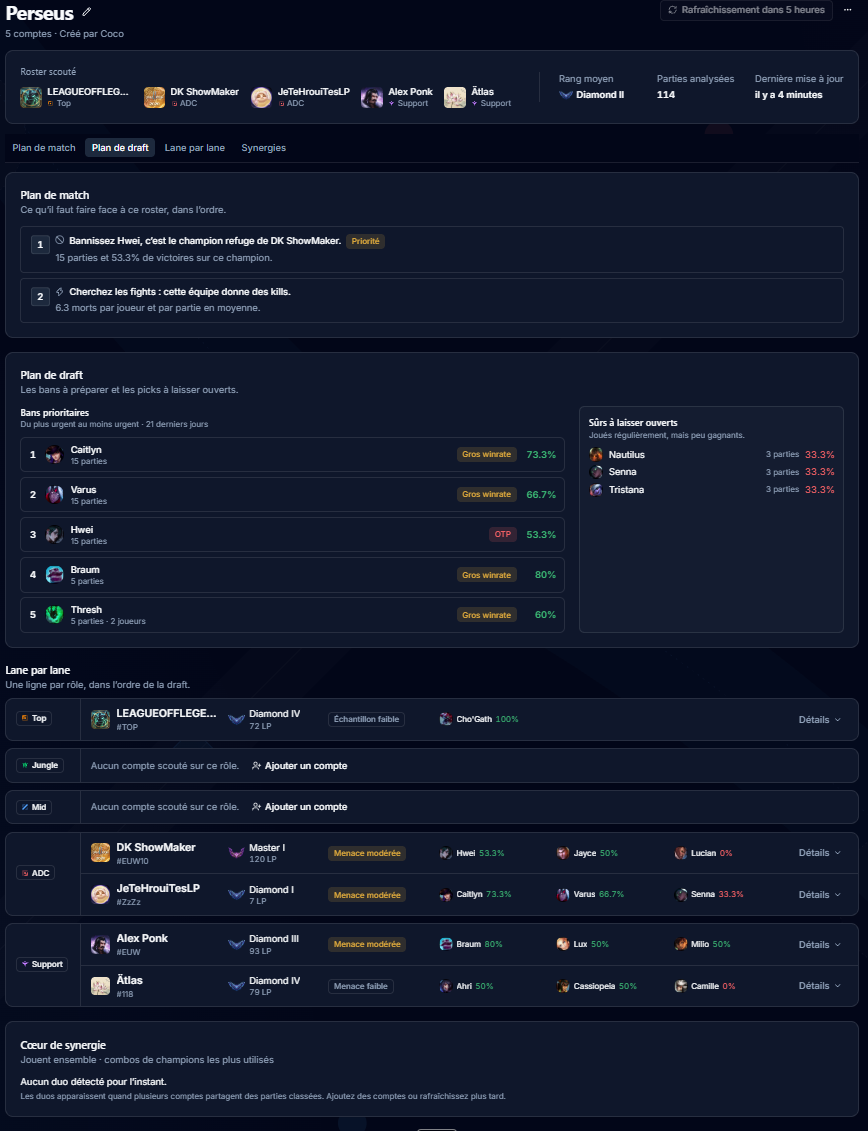
Scout the enemy roster
Paste their accounts or an op.gg multisearch link. You get each player's rank and champions over their recent SoloQ and Flex games, the bans worth making, the safe picks, a game plan and a lane-by-lane read. Refresh it before the match.
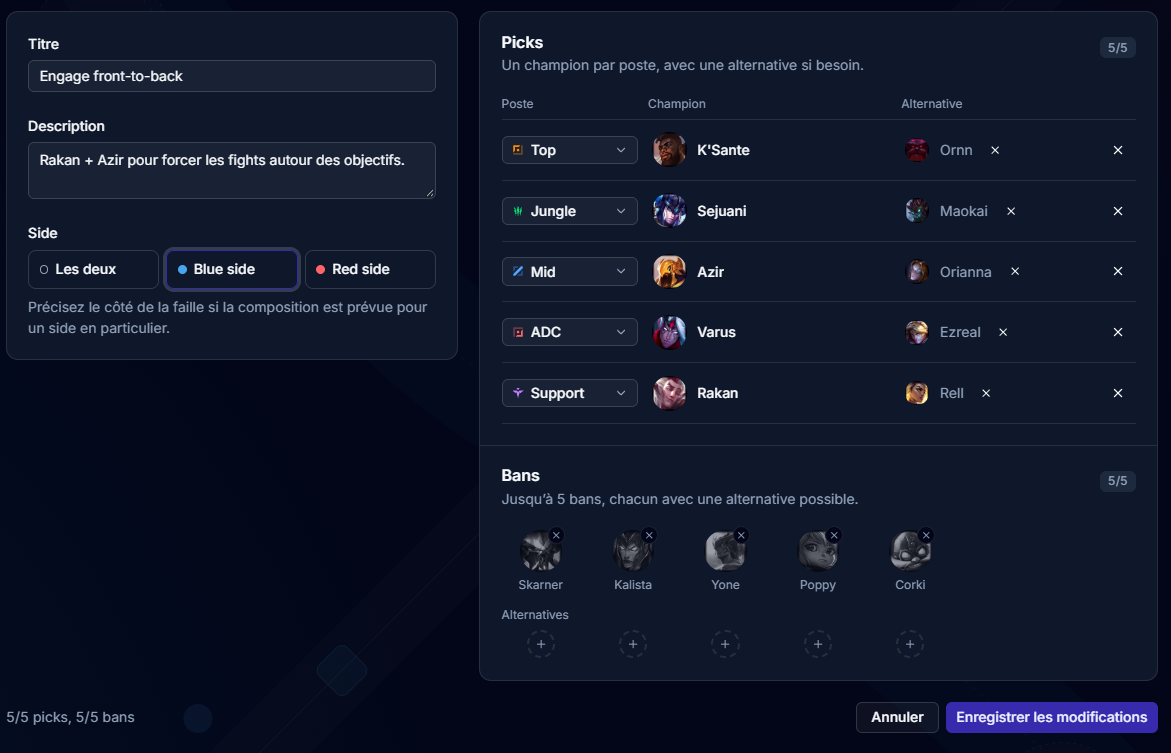
Save your compositions
Five picks, five bans, substitutes and the side you play. Then filter your stats by composition to see what it really gives.
Prepare the match, then debrief it
A scrim or an official match, best of 1, 3 or 5: link the scout, the composition and the calendar event, follow the checklist, then log the result and your notes. The games played are linked to the match automatically.
4 Organize
The whole team in one place, even in Discord.
Stop scheduling scrims by poll
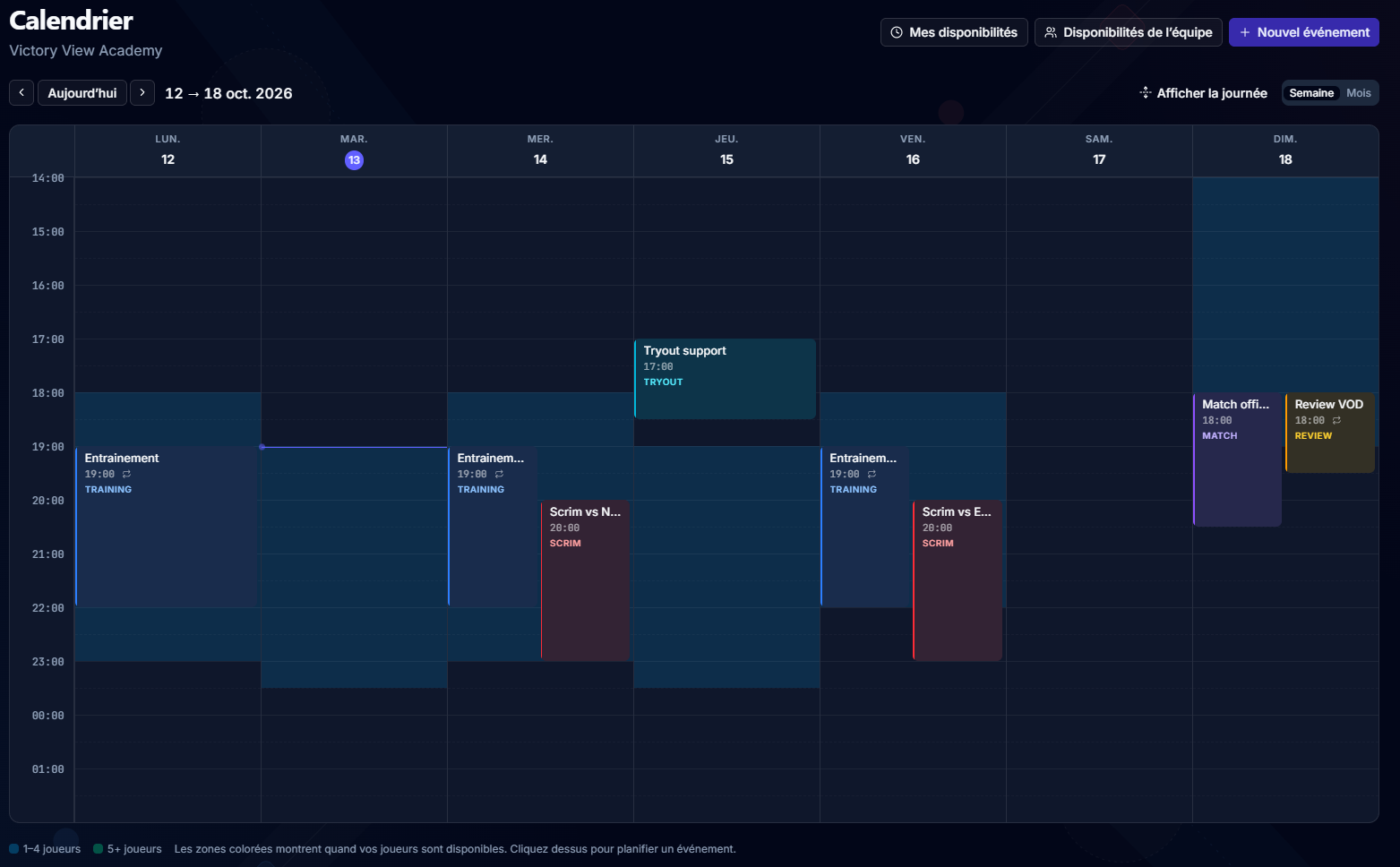
One calendar for the roster: recurring events, scrims, training and matches. Everyone answers whether they're in and marks their weekly availability, and the team view shows when the five of you are free.
The /vv bot posts in your channel
Nobody has to open the App to know what is planned and what is improving.
- Events created, moved or cancelled, and a reminder one hour before.
- Goals closed and the priorities of the week.
- The recap of last week every Monday at 6 PM.
- Commands for the whole roster: /vv status, calendar, goals, week-summary.
Included in both App plans. Not to be confused with Victory View Coach, the AI coach you talk to.
Room for a second roster
When the team grows into a structure with an academy, the Organization plan holds up to 5 teams under one organization, with one invoice. Owner, admin and member roles for the organization, manager and member roles for each team.
Always up-to-date data, from the official Riot API
Automatic import
Turn it on once: SoloQ, Flex, Normal and Ranked 5s games come in on their own, every hour.
Scrims included
Custom games come in once at least one player has connected their Riot account with Riot Sign-On, the official Riot login.
Players added by Riot ID
Up to 9 players per roster. The account is checked and the SoloQ and Flex rank kept up to date.
Tournament codes
Generate codes for your custom games straight from the App.
Your team set up in 3 steps
-
Create your team
Add your players by Riot ID. Their accounts are checked and their rank pulled.
-
Start the trial
30 days of the Team plan, no card. Your first games are imported right away.
-
Know what to work on
Priorities on Monday, goals that move, a scout before the match that counts.
Rather watch than read?
A screen recording from zero to your first team stats: account, organization, team, first imported games.
More videos on YouTubeTry it for 30 days before you pay anything
Then one subscription for the organization, no tax added. If you stop, nothing is deleted: your data stays readable.

Your next week, organized.
30 days of the Team plan, free, no credit card.
Start the free 30-day trial